Exploring Spring Boot
I need to learn spring boot. I have some Java projects under my belt, but they are CLI applications and are very simple. Working with APIs and large amounts of data I have also done, but all with Python. Spring looks like a very powerful framework (more of a build system?) to make modern enterprise Java applications.
I would like to:
- Have a Postgres DB running in Docker
- Store Customer objects
- Retrieve Customer objects
- Update Customer objects
- Destroy or delete customer objects
Maybe: 6. Store an Order object 7. Retrieve metrics about a customer such as number of orders, etc. Kinda like a Customer Order report that some exec could ask for or be used in a dashboard.
I think this sounds like a straightforward projects that will get me up to speed on the basics of Spring Boot (at least for something like an API).
High Level Architecture
A typical spring boot application that talks to a DB is structured like the following:
- Controller -> (API / HTTP Layer)
- Service -> (Business Logic)
- Repository -> (Data Access)
- Database -> (Database Mapping)
Controller
The controller layer of the application handles the incoming requests and returns responses.
- Maps URLs (
/usersor/ordersfor example) - Parses requests bodies (JSON to Java Objects)
- Returns responses (Java Objects to JSON)
Example
@RestController
@RequestMapping("/users")
public class UserController {

    private final UserService service;

    public UserController(UserService service) {
        this.service = service;
    }

    @GetMapping
    public List<User> getAll() {
        return service.getAllUsers();
    }

    @PostMapping
    public User create(@RequestBody User user) {
        return service.createUser(user);
    }
}
Annotations
@RestControllergives Spring the context it needs to signify that this is a component.- Spring will also handle the return conversion into a JSON format since this component extend
@ResponseBody
- Spring will also handle the return conversion into a JSON format since this component extend
@RequestMapping("/users")sets the base URL path for all endpoints in this controller.- Every method will be accessible at this URL plus any additional path specified in method-level annotations.
Constructor and Dependency Injection
private final UserService service;

public UserController(UserService service) {
    this.service = service;
}
We define this service later along with the business logic. With constructor injection we get:
- Testable: A mock service can be passed in testing
- Immutable: The final keyword ensures the service can not be reassigned
- Explicit: It is clear what dependencies the controller needs.
Get Endpoint
This is the retrieval enpoint for the API.
@GetMapping
public List<User> getAll() {
    return service.getAllUsers();
}
This maps the HTTP GET requests to this method. The full endpoint is GET /users.
The public List<User> getAll() retrieves all users via a service. Spring will automatically convert the returned List of Users to JSON in the HTTP response.
Post Enpoint
@PostMapping
    public User create(@RequestBody User user) {
        return service.createUser(user);
    }
This maps the HTTP POST request to this method. The @RequestBody User user tells Spring to deserialize the JSON body of the received request into a User object.
The public User create(@RequestBody User user) takes the deserialized user, passes it to the service for the creation, and returns the created user as JSON.
Service Layer
Contains the core logic of the application. What does it do?
- Validates business rules
- Coordinates multiple repos
- Applies transformations
This provides a middleman for the API endpoints to the methods that will be called.
Example
import org.springframework.stereotype.Service;
import java.util.List;

@Service
public class UserService {

    private final UserRepository repo;

    public UserService(UserRepository repo) {
        this.repo = repo;
    }

    public List<User> getAllUsers() {
        return repo.findAll();
    }

    public User createUser(User user) {
        // Example business rule
        if (user.getName() == null || user.getName().isEmpty()) {
            throw new RuntimeException("Name is required");
        }

        return repo.save(user);
    }
}
Annotations
The @Service annotation marks the class as a Spring service component. Spring will automatically create an instance of it and makes it available for injection (which we do in the controller).
Constructor and Dependency Injection
private final UserRepository repo;

    public UserService(UserRepository repo) {
        this.repo = repo;
    }
Same pattern as our controller. UserRepository is injected via the constructor and stored as a final. The service uses the repository to talk to the database.
getAllUsers()
public List<User> getAllUsers() {
    return repo.findAll();
}
This is another pass through method. It simply calls repo.findAll() which queries the database and relies on the repository. There is no business logic here, but we could add some that filters and provides some sort of validation.
createUser()
public User createUser(User user) {
    // Example business rule
    if (user.getName() == null || user.getName().isEmpty()) {
        throw new RuntimeException("Name is required");
    }

    return repo.save(user);
}
Here we can see some business rules that check if the name attribute on the user is null on creation.
Repository Layer
This handles the communication with the database.
- Executes queries
- Maps database rows to Java objects.
This is typically an extension of the JPA repo interface.
Example
import org.springframework.data.jpa.repository.JpaRepository;

public interface UserRepository extends JpaRepository<User, Long> {
}
With just extending the JpaRepository, we get:
- findAll()
- findById()
- save()
- delete()
We can also define a custom query if a reporting need arrises or even for testing!
Creating the Postgres DB in Docker
I just want to get something going for now. I can worry abou tables and schema structures later.
version: "3.8"

services:
  postgres:
    image: postgres:15
    container_name: postgres
    ports:
      - "5432:5432"
    environment:
      POSTGRES_USER: myuser
      POSTGRES_PASSWORD: mypassword
      POSTGRES_DB: springdb
    volumes:
      - postgres_data:/var/lib/postgresql/data
    restart: unless-stopped

volumes:
  postgres_data:
That looks fine for now.
Object Declaration and Storage
Since we are going to be storing a Customer object in the database. We will call the class Customer:
package com.arzacorp.api;

import jakarta.persistence.Entity;
import jakarta.persistence.GeneratedValue;
import jakarta.persistence.GenerationType;
import jakarta.persistence.Id;

@Entity
public class Customer {

    @Id
    @GeneratedValue(strategy=GenerationType.AUTO)
    private Long id;
    private String firstName;
    private String lastName;

    protected Customer() {}

    public Customer(String firstName, String lastName) {
        this.firstName = firstName;
        this.lastName = lastName;
    }

    @Override
    public String toString() {
        return String.format(
                "Customer[id=%d, firstName='%s', lastName='%s']",
                id, firstName, lastName);
    }

    public Long getId() {
        return id;
    }

    public String getFirstName() {
        return firstName;
    }

    public String getLastName() {
        return lastName;
    }
}
The @Entity signifies that this class is a JPA entity. It is also important to note that since there is no @Table annotation, it assumes the table name is Customer just like the class.
Data Fields
- id -> @Id tells JPA this field is the primary key
- id -> @GeneratedValue tells JPA that the DB will automatically provide this value.
Constructors
protected Customer() {}-> A no argument constructor that JPA NEEDS for reflection.public Customer(String firstname, String lastName) {}-> This is used to actually set the values when data is passed to construct the Customer object.
But what is reflection? Sounds like some high-level hoopla. JPA does not know what is going to be stored until runtime. JPA needs a way to create an empty Customer object that acts like a storage container. Once the data is recieved from the DB, JPA will store it in the newly created empty Customer object.
Queries
Spring Data JPA allows us to create a repository interface that extends the already implemented repository. We can essentially use some boilerplate code.
package com.arzacorp.api;

import java.util.List;

import org.springframework.data.repository.CrudRepository;

public interface CustomerRepository extends CrudRepository<Customer, Long> {

    List<Customer> findByLastName(String lastName);

    Customer findById(long id);
}
In this example, findById and findByLastName can now be used to query our Customer object data in the database by simply listing the method signature. There are some methods that are implemented by default, findById being one of them. There is no need to declare it, but I guess it does not hurt.
The Main Application Class
By default, Spring Initializr creates a very simple class for the app.
package com.arzacorp.api;

import org.springframework.boot.SpringApplication;
import org.springframework.boot.autoconfigure.SpringBootApplication;

@SpringBootApplication
public class ApiApplication {

	public static void main(String[] args) {
		SpringApplication.run(ApiApplication.class, args);
	}

}
What is happening here?
@SpringBootApplication-> a convenience annotation that adds:@Configuration-> Tags the class as a source of bean defenitions for the context@EnableAutoConfiguration-> Tells Spring Boot to add beans based on the classpath settings@ComponentScan-> Spring will ook for other components, configs, and services in the com/arzacorp package, letting it find controllers
We can setup a better class with a logger so we can see what is going on:
package com.arzacorp.api;

import org.slf4j.Logger;
import org.slf4j.LoggerFactory;
import org.springframework.boot.CommandLineRunner;
import org.springframework.boot.SpringApplication;
import org.springframework.boot.autoconfigure.SpringBootApplication;
import org.springframework.context.annotation.Bean;

@SpringBootApplication
public class ApiApplication {

	private static final Logger logger = LoggerFactory.getLogger(ApiApplication.class);

	public static void main(String[] args) {
		SpringApplication.run(ApiApplication.class, args);
	}

	@Bean
	public CommandLineRunner demo(CustomerRepository repository) {
		return (args) -> {
			// save a few customers
			repository.save(new Customer("Jack", "Bauer"));
			repository.save(new Customer("Chloe", "O'Brian"));
			repository.save(new Customer("Kim", "Bauer"));
			repository.save(new Customer("David", "Palmer"));
			repository.save(new Customer("Michelle", "Dessler"));

			// fetch all customers
			logger.info("Customers found with findAll():");
			logger.info("-------------------------------");
			repository.findAll().forEach(customer -> {
				logger.info(customer.toString());
			});
			logger.info("");

			// fetch an individual customer by ID
			Customer customer = repository.findById(1L);
			logger.info("Customer found with findById(1L):");
			logger.info("--------------------------------");
			logger.info(customer.toString());
			logger.info("");

			// fetch customers by last name
			logger.info("Customer found with findByLastName('Bauer'):");
			logger.info("--------------------------------------------");
			repository.findByLastName("Bauer").forEach(bauer -> {
				logger.info(bauer.toString());
			});
			logger.info("");
		};
	}

}
I am following this tutorial FYI: https://spring.io/guides/gs/accessing-data-jpa
But What About Running In Postgres?
H2 DB is pretty cool and all for testing. But I want to store these objects in a Postgres instance running in Docker.
Lets do the following:
- Add the Postgres dependency with XML of course
- Edit our properties with some very secure username, password, and database namek
pom.xml Addition
Lets hope this works with the H2 dependency still in there.
		<dependency>
			<groupId>org.postgresql</groupId>
			<artifactId>postgresql</artifactId>
			<scope>runtime</scope>
		</dependency>
application.properties
This file is the main configuration file that defines how the application behaves. We can define server ports, db connections, logging levels, flags, and other custome app settings.
Now if we want to dump in some properties that match up from the docker container we can do the following:
spring.application.name=api
spring.datasource.url=jdbc:postgresql://localhost:5432/springdb
spring.datasource.username=myuser
spring.datasource.password=mypassword
spring.jpa.hibernate.ddl-auto=update
spring.jpa.properties.hibernate.dialect=org.hibernate.dialect.PostgreSQLDialect
What is all this? We can see the name of the app, where the db listens (localhost on 5432), authentication for the db, and some other stuff?
The ddl-auto=update allows JPA to automatically create the DDL for objects we want to store based on the @Entity class. The dialect thing tells JPA to use PosgresSQL syntax for the DDL and queries.
Now lets check that the Postgres container is running:
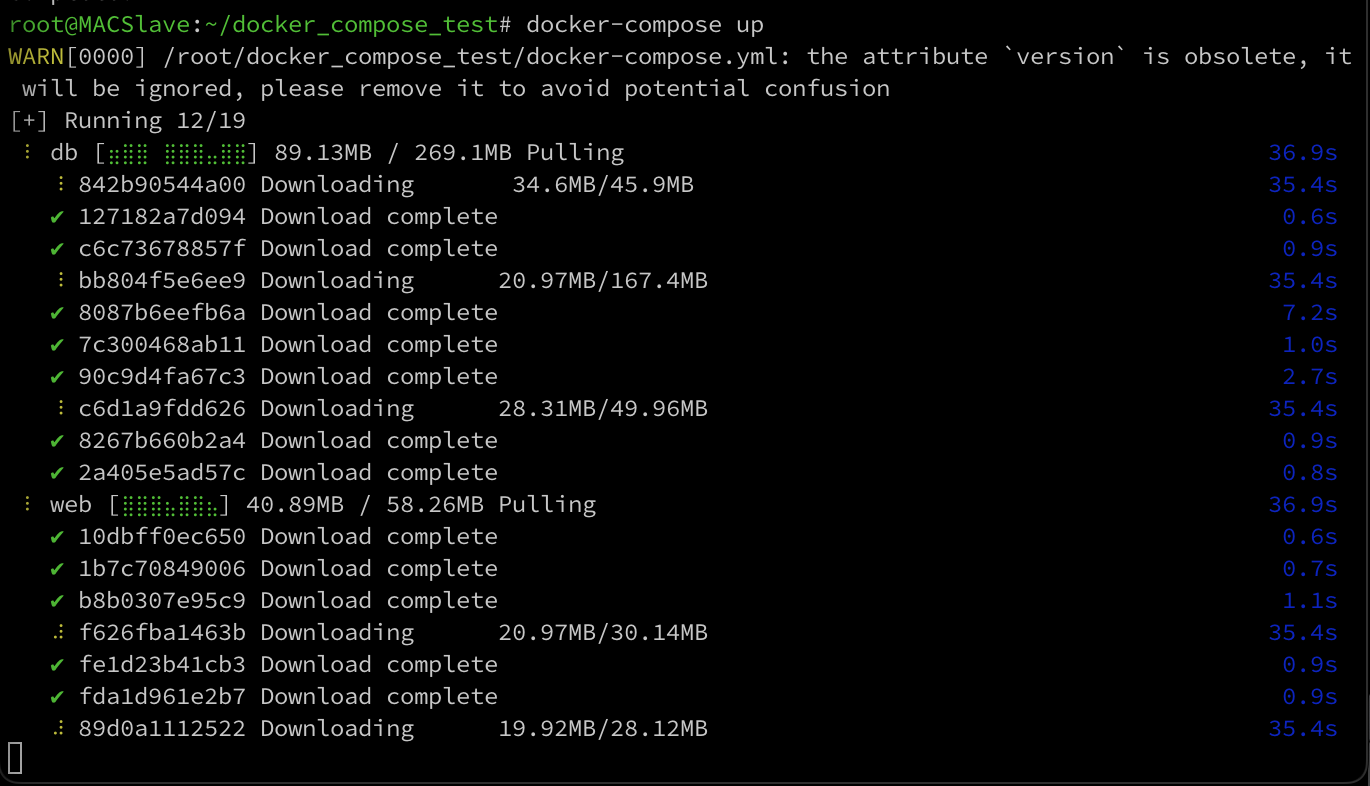
To watch the live logs of a docker container we can run docker logs -f <container-name>. Also, in order to whipe any past schemas created you can simply run docker compose down -v to remove any data.